How to search for EI Board of Appeal decisions
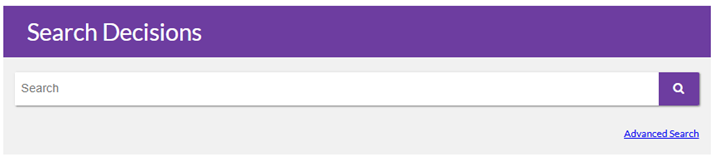
Browse and search published EIBOA decisions in one place. Whether you are looking for a particular case or exploring past decisions, this tool can help you find relevant results. You can search decisions on our website by using either the Basic Search or the Advanced search.
Search
The basic Search allows you to enter any words you choose. While this method is quick and simple, you may find more targeted outcomes using the Advanced Search.
Advanced Search
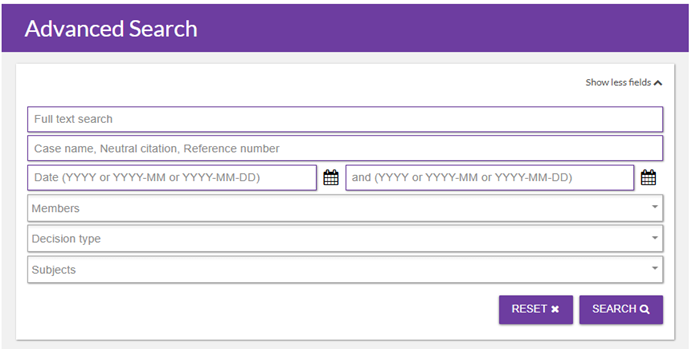
The Advanced Search is designed to help you find specific decisions more effectively. You can select various options to narrow your search for improved results. Feel free to choose one option or combine multiple criteria. For example, if you are searching for a specific decision, entering the case name, neutral citation, or file number will simplify your search.
Full text search
Use the full text search field to enter keywords or phrases that refine the subject of decisions. This feature helps you locate decisions with issues and facts similar to your own. You can enter multiple keywords to broaden your search results.
Case name
The case name field allows you to search for a specific decision by inputting the initials of the parties involved. If the appellant is an employer, search by the initials of the individual involved. Please use initials instead of full names; you only need to enter the name of the parties.
Neutral citation
A neutral citation is a unique reference number assigned to a decision by a tribunal or court. It is composed of the year of the decision, the tribunal’s abbreviation, and a sequential decision number, helping users quickly identify and search decision in the database (e.g., LD v Canada Employment Insurance Commission, 2026 EIBOA XXX).
File number
You can also search using the file number which is an internal unique identifier file number used by the EIBOA. It starts with BACA followed by the last two digits of the year of the decision and a sequential number. It looks like BACA-26-XX. Typically, you will only know this number if it pertains to your own appeal.
Decision date
To search for decisions within a specific time frame, use the decision date fields. Input both a starting and an ending date to refine your search.
Members
To find decisions made by a particular member, select their name from the members’ drop-down list.
Decision type
The decision type drop-down menu allows you to filter results by outcome. This can help you prepare for your appeal by providing insight into the reasons behind EIBOA decisions. You can sort results based on various factors, including whether the appeal was allowed, or dismissed.
Subjects
Use the subject drop-down menu to narrow your search by topic or issue. You can select from a range of categories, such as availability for work, leave of absence, or overpayment.